Electronic lab notebooks in 2026: the modern scientist's guide
Three months. That is roughly the half-life of a new electronic lab notebook in a working academic lab — the time before the rollout collapses back into OneNote, paper, and a SharePoint folder named final_v3_REAL. The PI signs the site license, the postdocs use it for three weeks, and then everyone goes back to whatever they were doing before.
The category has matured. The good tools really are good. So why does this keep happening?
The four jobs every ELN is doing
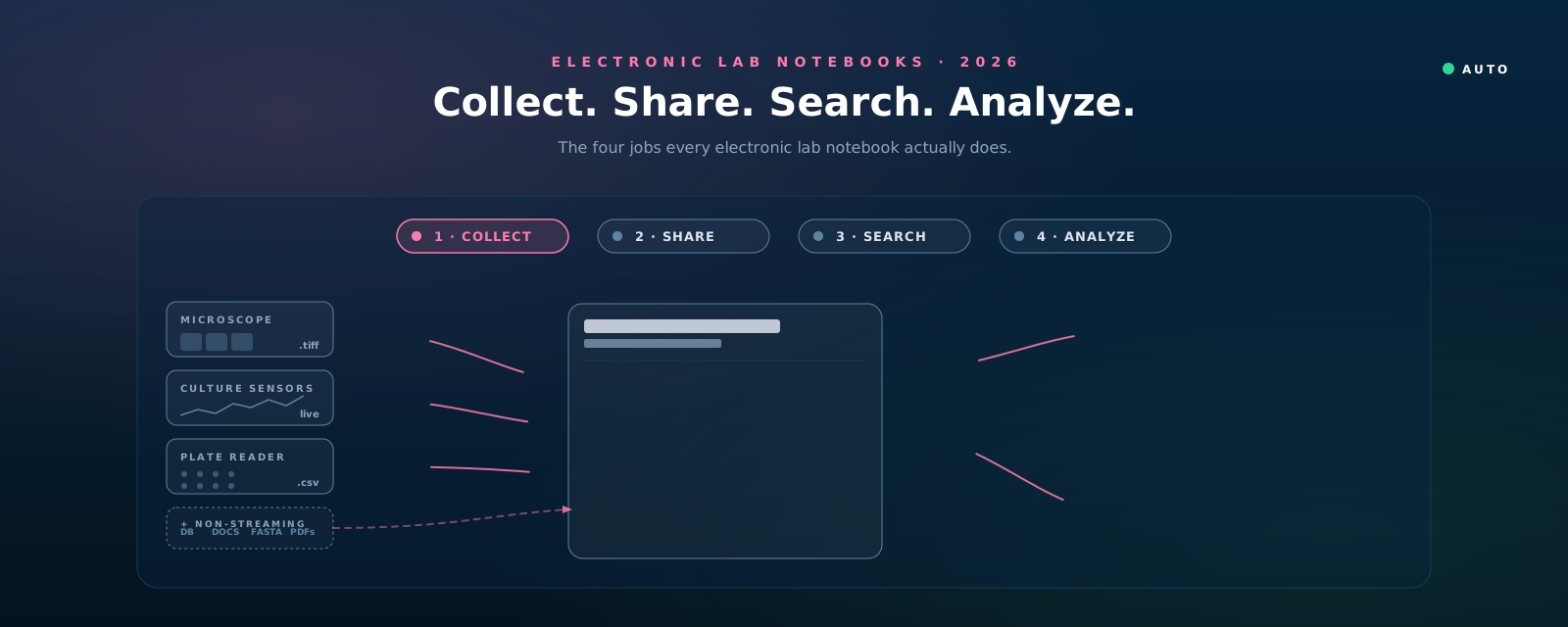
Strip away the marketing pages and every electronic lab notebook is trying to do four jobs:
- Collect — bring data into the notebook. Streaming instrument outputs (microscope frames, sensor traces, plate-reader CSVs) and the non-streaming sources scientists actually live with: database records, hand-written notes, FASTA files, PDFs, attached photos.
- Share — make the work visible to collaborators in real time, not via a Friday-afternoon email and a zip file.
- Search — let you find the experiment from eighteen months ago in under ten minutes, indexed by what scientists actually search for (sample, instrument, phenotype) — not by keyword in a free-text blob.
- Analyze — run analysis on the data already in the workspace, without context-switching to another tool.
A good ELN does at least two of these well; a great one does all four. The legacy stack focuses on collect-as-typing and share-as-sign-off. The modern layer is the first attempt to make all four feel native.
Why most ELN rollouts fail
In our experience working with academic and early-stage biotech labs, three patterns explain almost every failed rollout — and each one is a specific job from the list above breaking down:
- The postdoc rebellion — Collect is too painful. The PI bought the tool for defensibility and figure-ready records. The postdoc just wants to not have to type. If the new ELN adds friction at the moment of capture — extra fields, slow load, awkward image upload — the people doing the experiments stop using it within a week. Compliance theater does not survive a Monday morning.
- The missing instrument — Collect is incomplete. Half the data from a modern experiment never touches a notebook. It lives on the microscope workstation, on the plate reader’s bundled software, on a sensor logger nobody has admin access to. An ELN that asks scientists to manually export and re-attach loses to the simpler workflow: leave the file on the instrument and email a link.
- The search blind spot — Search is broken. The most painful ELN moment is not “where do I write this down?” — it is “I know we ran this exact condition eighteen months ago, where is it?” Most ELNs index text. Few index the things scientists actually search for.
The fourth job — Analyze — does not usually cause a rollout to fail; it causes the notebook to become irrelevant. The scientist downloads the CSV, opens Python, and the notebook stops being where the work actually happens.
So the right question is not “which ELN has the most features?” The right question is: which of these four jobs is currently broken in your lab — and which tool fixes it without breaking the others?
The landscape: three layers
Eight tools, three layers, three starred picks. The sections below expand each card.

Legacy enterprise / regulated
These are the tools your IT department has heard of. They have been around for a decade or more, hold enterprise contracts, and are the default answer in pharma, clinical research, and large biotech. They are not “bad” — they are opinionated, often expensively, and you should know what you are committing to.
Benchling
The de-facto standard in biotech. Sequence-aware by design (DNA / RNA / protein editing, plasmid maps, primer design), with an ELN, registry, and inventory bolted on. If your lab works with constructs, cell lines, and assays — and especially if you collaborate with companies that already use it — Benchling is the path of least resistance.
- Use it when you do molecular biology and need first-class sequence tools tied to your experiments.
- Avoid when your work is not molecular, or when the licensing cost outpaces the value you extract from the sequence features.
- The catch: pricing is enterprise and opaque. Migrating off Benchling is harder than getting on.
LabArchives
The widely deployed academic option, often paid for at the institutional level (your university may already have a site license — check before you buy anything else). Solid notebook, decent search, long track record in NIH-funded environments.
- Use it when your institution already provides it, or you need a defensible academic notebook with minimal procurement friction.
- Avoid when you want a modern editor or anything that integrates with instruments.
Labguru
An integrated ELN + LIMS + inventory for mid-market biotech. Less sequence-centric than Benchling, broader functional coverage than the open-source options. Strong on inventory, sample tracking, and project management — the things that get painful around 10–30 scientists.
- Use it when you have outgrown spreadsheets for inventory and need one tool that covers the notebook, the freezer map, and the project plan.
- Avoid when your team is small enough that a real LIMS is overkill.
Open-source / self-hostable
These tools matter for one reason above all: your data lives on infrastructure you control. For academic labs that care about long-term archival, for groups subject to GDPR or institutional data-residency rules, and for anyone allergic to vendor lock-in, this is the layer worth a careful look.
eLabFTW
The most polished of the open-source ELNs. Built in PHP, actively maintained, with a sane data model, audit logging, sign-and-countersign workflows, and Docker deployment an IT team can stand up in an afternoon. Free if you self-host; modest fee for managed hosting.
- Use it when you need a defensible notebook on infrastructure you own — academic core facilities, GDPR-bound EU labs, anyone whose IRB wants to know exactly where the data sits.
- Avoid when nobody in your lab can stomach running a Docker container.
SciNote
Open-core ELN with a generous free tier and paid Premium / Enterprise plans. Friendly editor, project templating, decent inventory, and a clean upgrade path. Good “first ELN” for an academic group that has never used one.
- Use it when you are trying an ELN for the first time and want something that will not collapse if half the lab ignores it for a month.
- Avoid when you need deep instrument integration the free tier does not cover.
RSpace
Open-core with a strong integration story: Slack, GitHub, OneDrive, Figshare, Dataverse, Galaxy, Jupyter. If your lab already lives in those tools and you want the notebook to reference rather than replace them, RSpace is the cleanest fit. Self-host or managed.
- Use it when your lab is computational-adjacent and your real data already lives across many systems.
- Avoid when you want one tool to own everything — RSpace is best as a hub.
Modern / AI-native
The newest and most actively changing layer. These tools were designed after the smartphone, after cloud collaboration became normal, and increasingly after large language models. They tend to share three premises: mobile-first (the bench is not where your laptop is), collaboration is real-time (not “export and email”), and the notebook should help you, not just record you.
Colabra
A modern, design-led ELN with a strong web/desktop editor, real-time collaboration, AI assist for protocol drafting and summarization, and a free tier. Less sequence-aware than Benchling, less open than eLabFTW — but the editor is the nicest in the category and the AI features go beyond a chat sidebar.
- Use it when you want a fast modern editor, your team values UX, and you can live without first-class sequence tools.
OMĒOS
OMĒOS comes at the four jobs from a different premise: that the notebook should organize what your instruments and applications actually produce, not just what you remember to type. Lab equipment streams directly into experiment workspaces — images, sensor logs, instrument outputs are grouped by experiment and device automatically. Non-streaming sources — database entries, FASTA files, manuscripts, PDFs, hand-written notes — sit alongside them in the same workspace.
On top of that workspace, OMĒOS runs AI agents on GPU-backed compute — segmentation, classification, model inference, summarization — directly against the data already there. (For the practical view of where wet-lab agents earn their keep today and where they still fumble, see our earlier piece on AI agents in the wet lab.) Real-time collaboration; single sign-on across desktop, cloud, and mobile.
- Use it when your lab produces meaningful instrument data (microscopy, perfusion, sensors, plate readers) and the typing-it-in step is the friction.
- Use it when you want AI / agentic analysis on your data without context-switching to a separate compute environment.
- Pricing: free to start; paid tiers scale with capacity, users, and integrations as the lab grows.
This is the tool we build, so we are not neutral about it. We are neutral about whether it is the right pick for every lab — see the chart below.
Where the modern tools pull ahead
The fastest way to see what is actually changing in the category is to plot it. Two axes — how well the tool ingests instrument data (left → right) and how much AI / agentic work it does on that data (bottom → top) — separate the field cleanly.
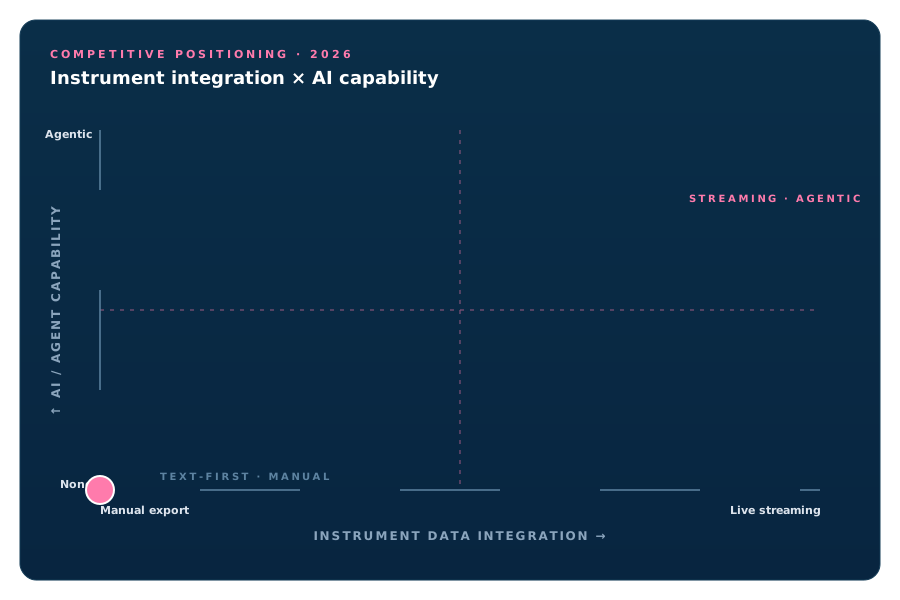
Two things stand out:
- The top-right quadrant is sparse. Most legacy tools assumed you would do AI somewhere else and feed results back manually. Most open-source tools have not invested in AI at all. The category is genuinely changing on this axis right now.
- The bottom-left is crowded. This is where most ELNs still sit — text capture, manual attachments, search-by-keyword. There is nothing wrong with that for a lab whose data is mostly observational. For a lab whose instruments produce gigabytes per experiment, the bottom-left tools are doing 30% of the job.
If neither axis matches your lab’s pain, the positioning chart says you should pick on a different criterion — data sovereignty, sequence support, institutional license, price. The capability scorecard below covers those.
Capability scorecard
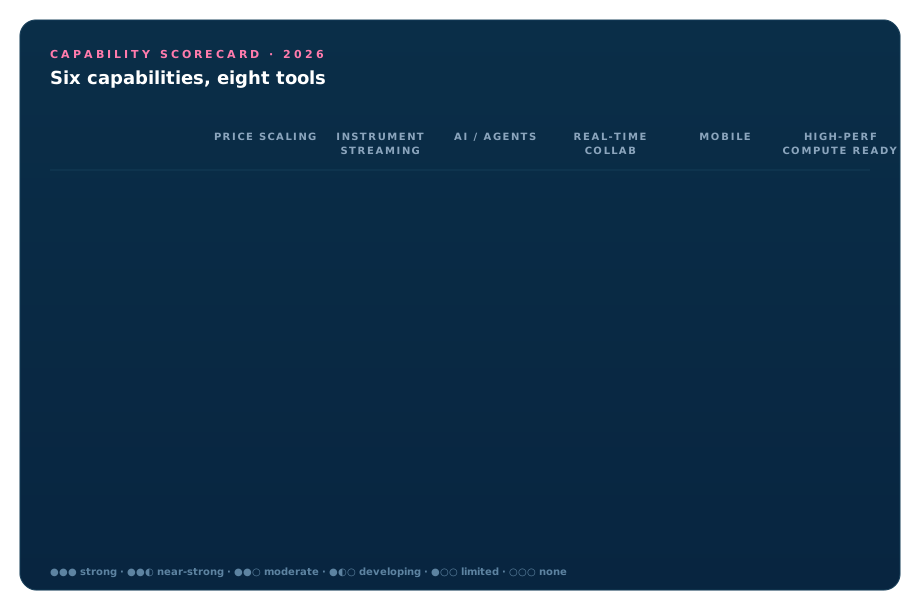
A condensed view of how each tool stacks up on the capabilities that matter most for the collect · share · search · analyze loop. Each meter shows our read of how strong each tool is on that capability today — not a feature checklist, a judgment call.
The honest anti-pattern: Notion, OneNote, paper
Many productive labs do not use an ELN at all. They run on Notion, OneNote, Obsidian, or a paper notebook in a fireproof cabinet — and they often produce excellent science. Pretending otherwise is how ELN rollouts fail.
The reason is straightforward: a good general note tool with a few templates beats a bad ELN at the collect job, which is the one most lab members notice. What a general tool cannot do is share across the lab, search across experiments, or analyze anything inside itself.
If your lab is small (≤5 scientists), works on a single project, and nobody has ever said “I cannot find that experiment from last year,” staying on Notion/OneNote and revisiting in a year is a defensible choice. We would still nudge you toward at least logging what instruments produced what files somewhere structured — that is the part general tools never recover from.
Three signals you have outgrown your current notebook
If you are reading this, you probably already use something. The question is when to switch. Three signals — any one is enough:
- You cannot find an experiment from six months ago in under ten minutes. Search is broken, tagging never got enforced, or both. Capture cost a little; retrieval costs a lot more, every time.
- Your latest experiment’s data lives in five places. Drive, Slack DM, the plate-reader desktop, the postdoc’s local laptop, and a thumb drive in someone’s pocket. This is the collect gap. The notebook is no longer the index of the work.
- New lab members spend their first week in onboarding, not at the bench. If your tooling needs a tutorial, the tooling is wrong. A modern notebook should be discoverable.
If none of these apply, you do not need a new ELN. If even one applies — switch now, not at the end of the grant cycle. Bad tooling compounds.
Where this fits with what we are building
37degrees did not set out to be a notebook company. We started building OMĒOS because the labs we work with — running portable perfusion systems, live-cell imaging, real-time culture telemetry — were producing more data per experiment than any typing-first ELN could absorb. The notebook needed to start where the instruments were, not where the scientist remembered to log in.
The architecture is modern by design — built to flex around the way your lab actually works, not the way ELN vendors decided it should:
- Instruments stream in, applications attach in. Microscopes, sensors, plate readers transmit directly into experiment workspaces. Databases, FASTA, PDFs, manuscripts, hand-written notes attach alongside.
- Native support for every scientific file format you actually use. Sequences (FASTA, GenBank, plasmid maps), bioimaging stacks (TIFF, OME-TIFF, CZI, ND2), tabular data, instrument-native formats. No “we will support it next quarter.”
- AI agents on GPU-backed compute. Segment, classify, summarize, run model inference — agentic work on the data already in the workspace. No context-switching, no manual export to a separate compute environment.
- Real-time collaboration anywhere. Desktop, cloud, mobile. Single sign-on. Comment, review, build on shared experiments without exchanging files.
- Free to start. Paid tiers as the lab grows — pricing scales with capacity and users, not with a procurement cycle.
If this guide made you realize your lab fits “instrument-heavy, AI-curious, allergic to manual entry” — try OMĒOS free. The modern architecture flexes to fit whatever your lab does today and whatever shows up next year.
Closing
A notebook is not where your science gets done. It is where your science gets kept — and the keeping is what makes the doing reusable, defensible, and shareable. The right ELN is the one your lab stops noticing because it has stopped getting in the way.
Pick the closest fit. Pilot it on one real project. Switch decisively if it works.
Working out which ELN fits your lab? Explore OMĒOS — built for labs whose instruments and applications produce more data than the typing-first tools can absorb. Free to start.
Frequently asked questions
- What is an electronic lab notebook (ELN)?
- An electronic lab notebook (ELN) is software that replaces the paper lab notebook — a digital system for recording, organizing, sharing, and searching experimental data and protocols. A modern ELN does four jobs — collect data from instruments and files, share work with collaborators in real time, search past experiments by what scientists actually look for, and analyze data in place.
- What is the difference between an ELN and a LIMS?
- An ELN (electronic lab notebook) is built around the experiment and the scientist's narrative — what was done, why, and what the data showed. A LIMS (laboratory information management system) is built around samples and workflows — tracking specimens, inventory, and throughput across a lab or facility. Many modern platforms blur the line, but the simplest test is whether the tool is organized around your experiments (ELN) or your samples (LIMS).
- What is an AI lab notebook?
- An AI lab notebook is an ELN with intelligent agents built in — software that can ingest instrument data automatically, surface related past experiments, and run analysis on the data already in the workspace without the scientist switching tools. It is the emerging modern layer on top of the traditional collect-and-record ELN, and it is where platforms like OMĒOS are focused.
- What is the best ELN for academic and biopharma research in 2026?
- There is no single best ELN — the right choice depends on which of the four jobs (collect, share, search, analyze) matter most to your lab. Benchling is strong for molecular biology and biopharma teams; LabArchives and RSpace are common in academic and regulated settings; eLabFTW and SciNote offer open-source options; and AI-native platforms like OMĒOS focus on automated data collection and agentic analysis. Match the tool to the jobs your lab actually struggles with rather than to the longest feature list.
- Are there free or open-source electronic lab notebooks?
- Yes. eLabFTW is a widely used open-source ELN that labs can self-host for free, and SciNote offers a free tier alongside paid plans. Open-source tools trade some polish and managed support for control, data ownership, and zero licensing cost — a good fit for labs with IT support or strict data-residency needs.